Admin & security
You decide who sees, uses and spends what.
Roles and groups govern access, SAML SSO and SCIM, only on Enterprise, govern sign-in. A monthly budget and per-person limits keep spend in check. Retention, the audit log and exports record what happens in the workspace.
Members and roles
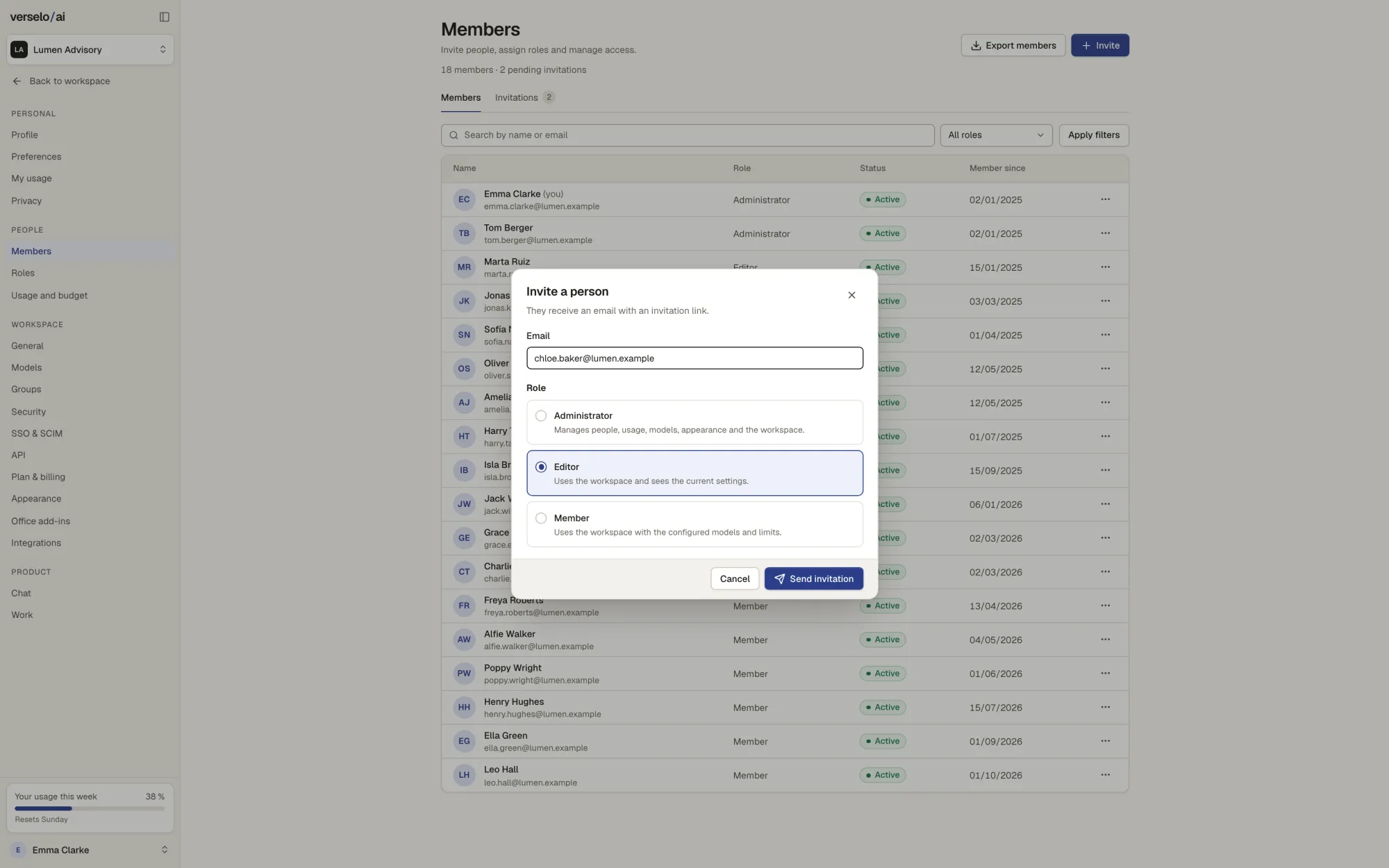
Admins invite colleagues by email and give them a role. Administrators manage people, usage, models and the workspace. Editors work in the workspace and see the current settings. Members work with the models and limits that have been set. When someone leaves the company, you remove their access in the same place.
- Three standard roles: administrator, editor, member
- Invitation by email link
- Member list export
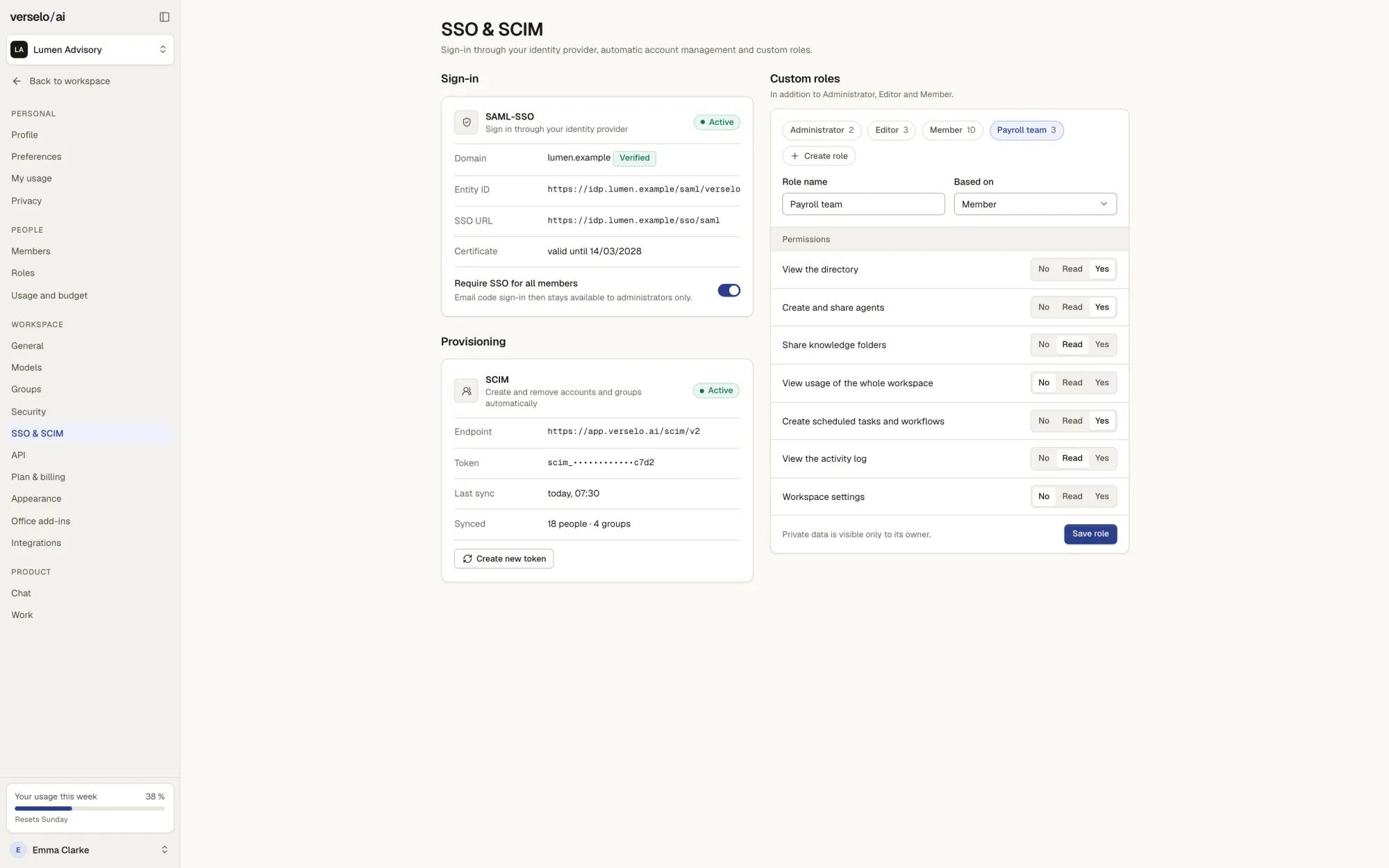
SAML SSO, SCIM and custom roles, only on Enterprise
Only on Enterprise: with SAML SSO everyone signs in through your company login. If you want, Verselo requires SSO for all members, and the email code stays for administrators only. SCIM creates and removes accounts and groups from your directory automatically. Custom roles start from a standard role, and you set each permission to no, read or yes.
- Sign-in through your identity provider (SAML)
- SCIM syncs people and groups
- Custom roles with fine-grained permissions
- Limit: no SAML Single Logout
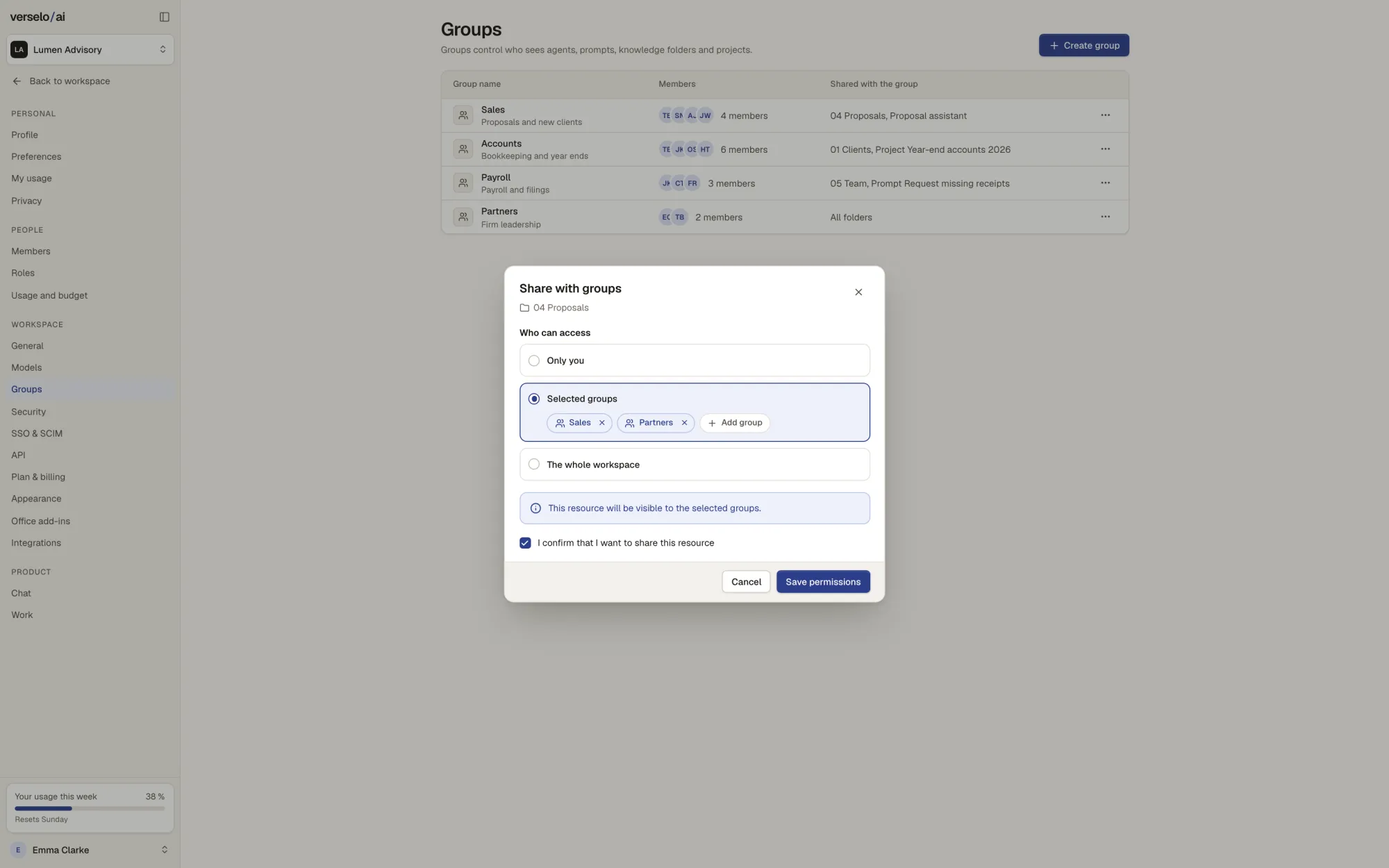
Groups: who sees what
Groups decide who sees which agents, prompts, knowledge folders and projects. When sharing, you choose between only you, selected groups and the whole workspace. That way sales sees the price list and accounting doesn't.
- Share with one person, selected groups or the whole workspace
- Works for agents, prompts, knowledge folders and projects
- On Enterprise, with SCIM, groups come from your directory
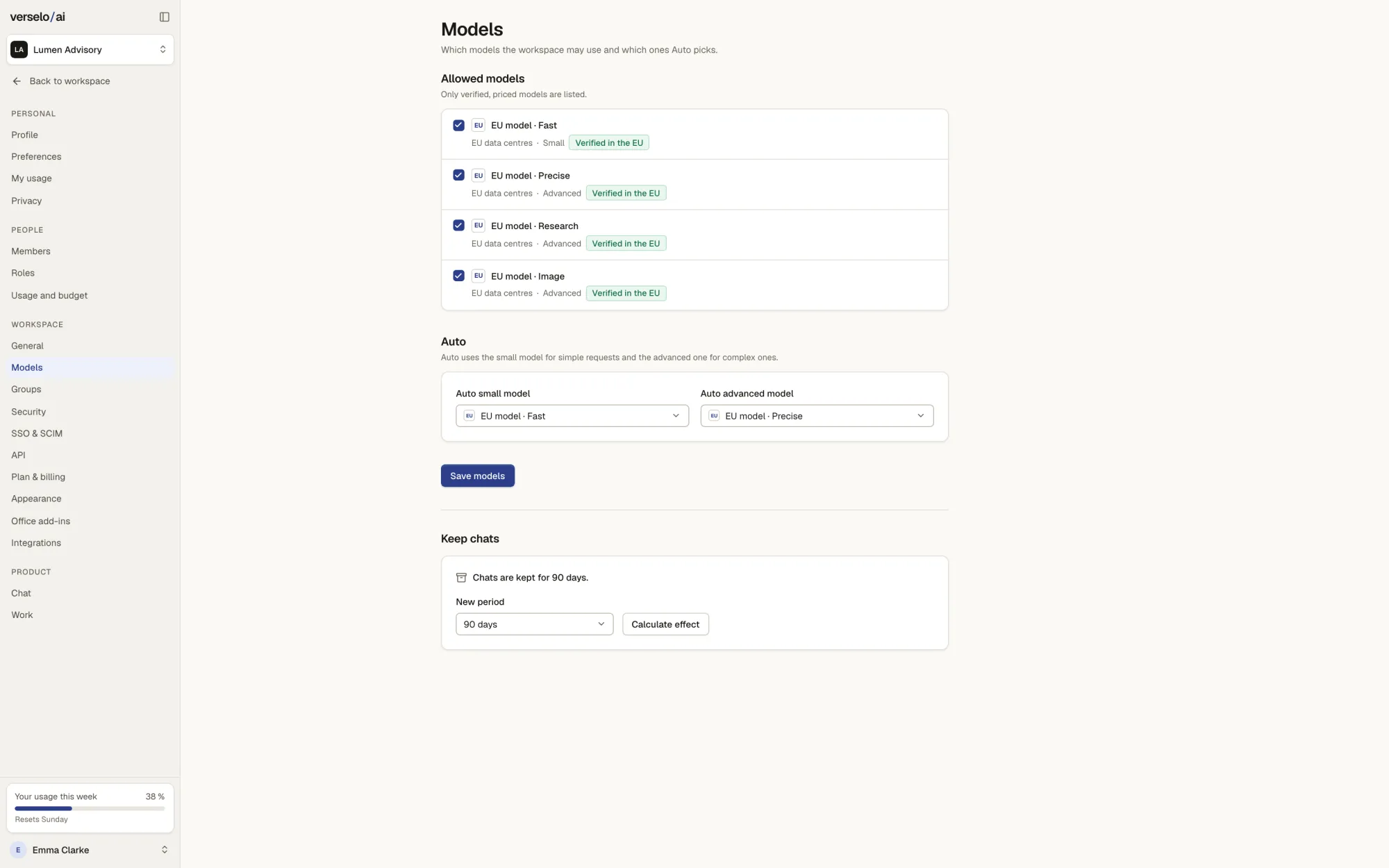
Allowed models and retention
The admin decides which models are allowed in the workspace and which ones Auto uses: a fast one for simple requests and an advanced one for complex ones. Members only choose from that list. Verselo keeps chats indefinitely or for 30, 90 or 365 days, depending on the setting. Web search only sends the search term to a search engine, and the admin can switch it off.
- List of allowed models
- Auto with two set models
- EU-hosted models from leading providers; your data stays in the EU
- Chat retention: indefinite, 30, 90 or 365 days
Budget and per-person limits
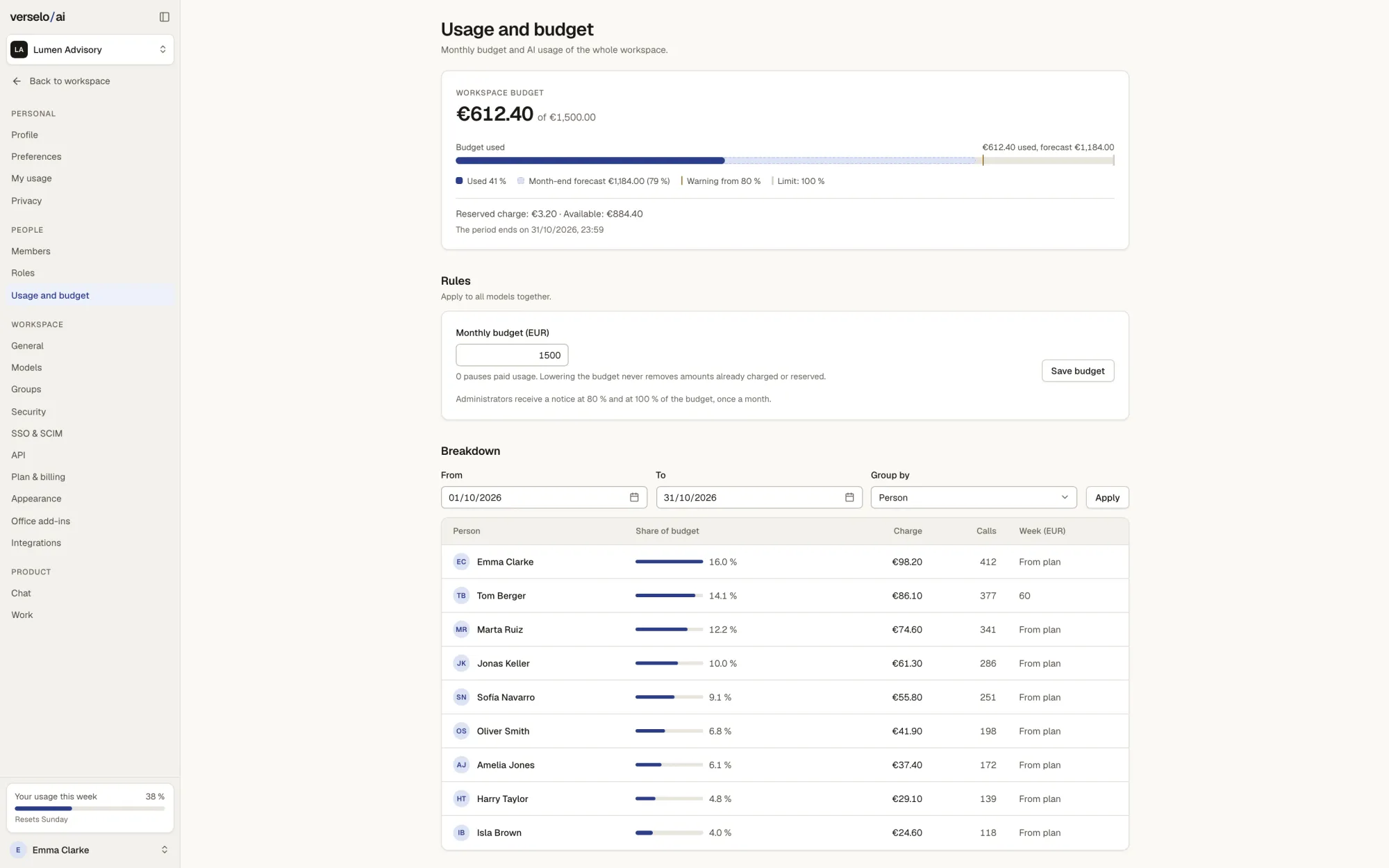
Every seat adds allowance to a shared workspace pool. The allowance is used first, then purchased credits. The allowance resets monthly. Purchased credits last 12 months from purchase and require an active plan. Usage is never billed afterwards. The admin sets a monthly budget and, where needed, a personal limit. The breakdown shows how much each person uses. Automatic top-up only runs if an admin switches it on, and always with a monthly maximum.
- Monthly workspace budget
- Limit per person
- Usage per person and period
- Top-up only via the admin switch, with a monthly maximum
Audit log, export and support access
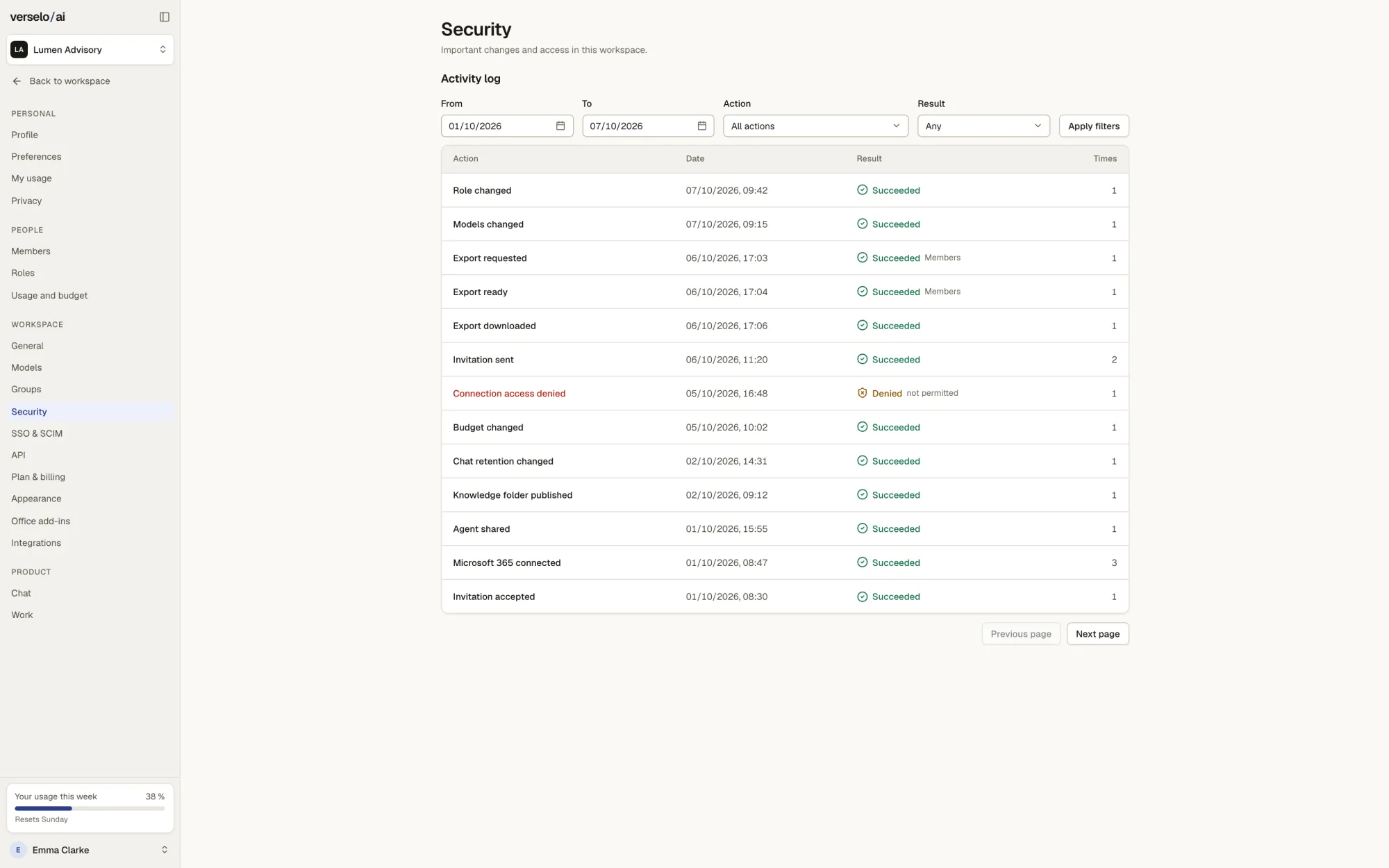
The activity log keeps a 12-month record of who changed roles, models, budget or retention, who exported and who shared something. Denied access shows up there too. Admins export the workspace as a ZIP, and each person exports their own chats. The governance overview sums up access, sharing and usage for compliance questions. Verselo support only gets into your workspace through a 30-minute login that is announced and logged.
- 12-month audit log
- ZIP export of the workspace, chat export for each person
- Governance overview for compliance questions
- Support access: 30 minutes, announced and logged
Frequently asked questions
What can administrators control in Verselo?
Administrators in Verselo control access, roles and groups, the allowed models, the monthly budget with per-person limits and chat retention: indefinite, 30, 90 or 365 days. They approve their plan’s integrations. The audit log for the last 12 months is available on all plans. On Enterprise they also set up SAML SSO and SCIM. Verselo support only gets into a workspace through a 30-minute login that is announced and logged.
Does Verselo support SSO and SCIM?
Yes, only on Enterprise. Verselo supports single sign-on with SAML through your identity provider. An admin can require SSO for all members, and the email code then stays for administrators only. SCIM creates accounts and groups automatically and removes them when someone leaves the company. There is one limit: Verselo does not support SAML Single Logout.
How do I cap AI spend per person?
In Verselo an admin sets a monthly budget for the workspace and a personal limit for anyone who needs one. All seats share one quota, and the breakdown shows each person's usage. When someone reaches their limit, only their requests stop. Automatic credit top-up only runs if an admin switches it on, and never goes past the monthly maximum you set.
Can I create custom roles and groups?
Yes. Verselo comes with three standard roles: administrator, editor and member. Only on Enterprise can you create custom roles and set each permission to no, read or yes, for example for agents, knowledge folders or the audit log. Groups decide who sees which agents, prompts, knowledge folders and projects. You share with one person, selected groups or the whole workspace.
See it on your own case.
On the call we work out with you which roles, groups and budgets your team needs. Afterwards you set it up yourself with onboarding videos.