Documents & templates
Proposals, reports and presentations in your company's design.
Tell the chat what you need and Verselo hands you a Word, PDF, Excel or PowerPoint file, on your own template or letterhead. No more copying text out of a chat and reformatting it in Word.
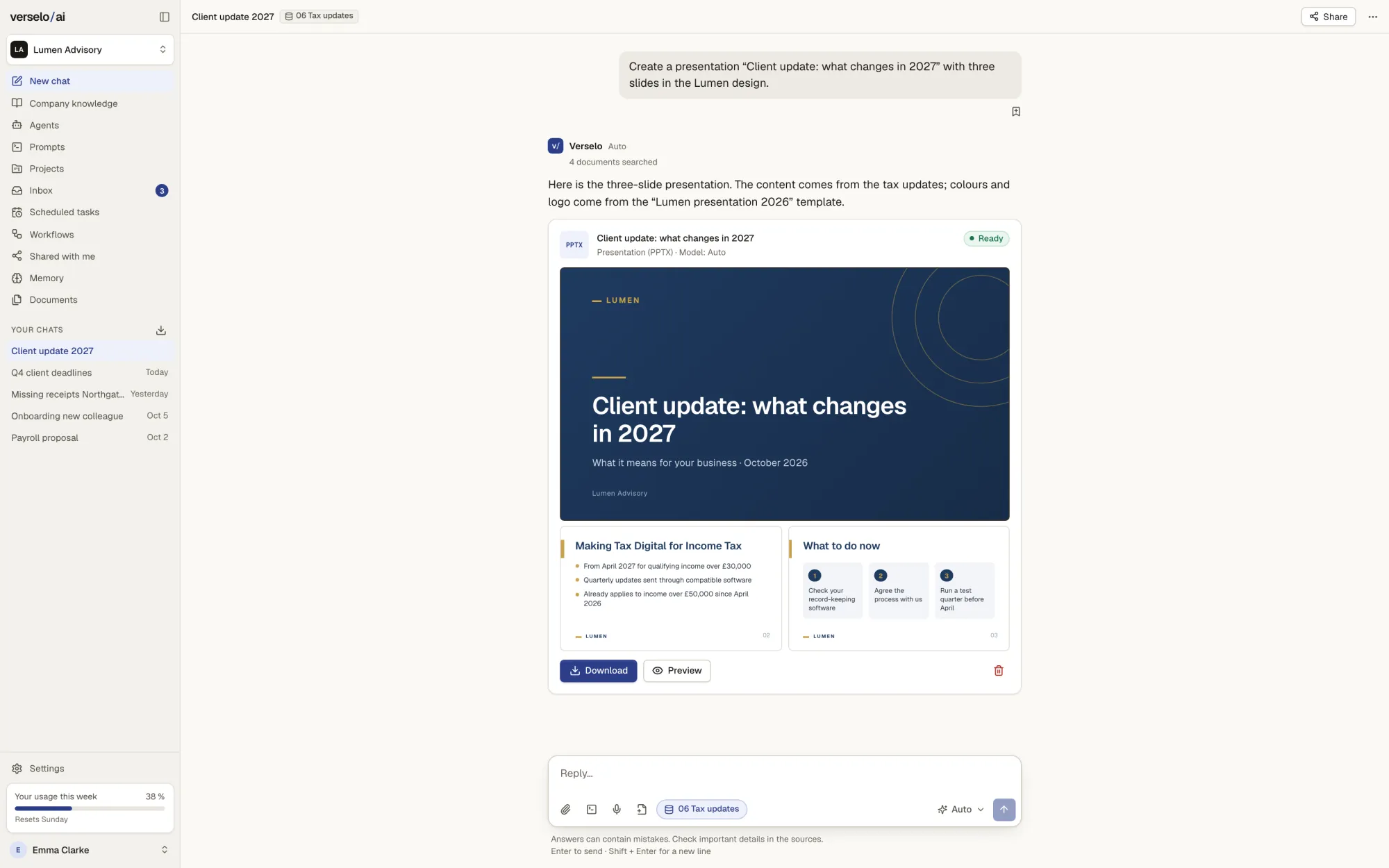
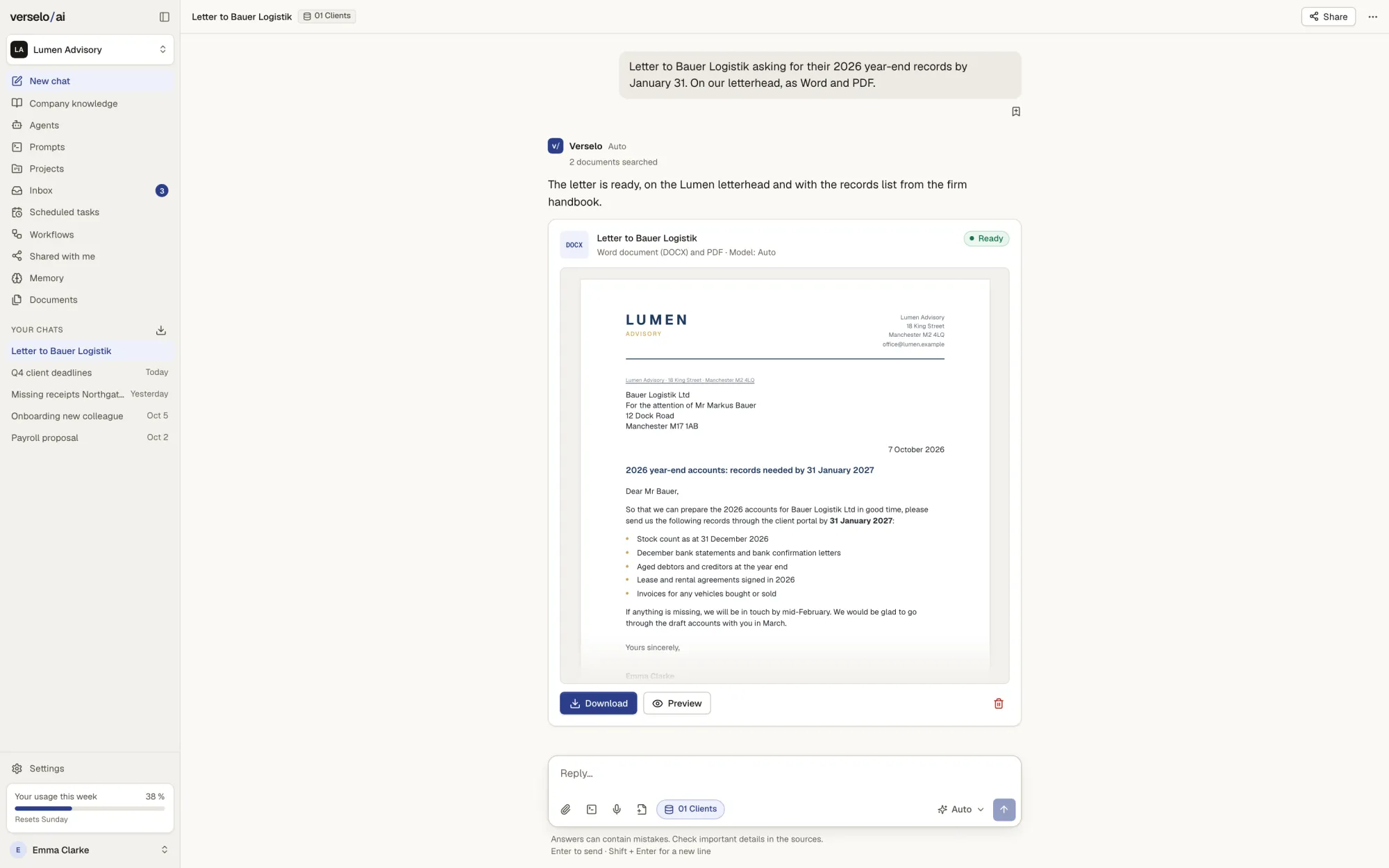
From chat to file
Ask the chat for a proposal, a spreadsheet or a deck, or turn a finished answer into a document with “Create a file from this”. Verselo builds the file from the chat and your company knowledge. You open the preview and download it.
- Word, PDF, Excel, PowerPoint and charts
- Preview before you download
- Content drawn from your knowledge folders
Your template, your letterhead
Upload your Word or PowerPoint template. Verselo checks it and shows a preview, then you share it across the workspace. You set your brand colour and logo once. From then on every proposal comes out in your own layout, whoever on the team creates it.
- DOCX, DOTX, PPTX and POTX up to 50 MB
- Check and preview before sharing
- Brand colour and logo on every file
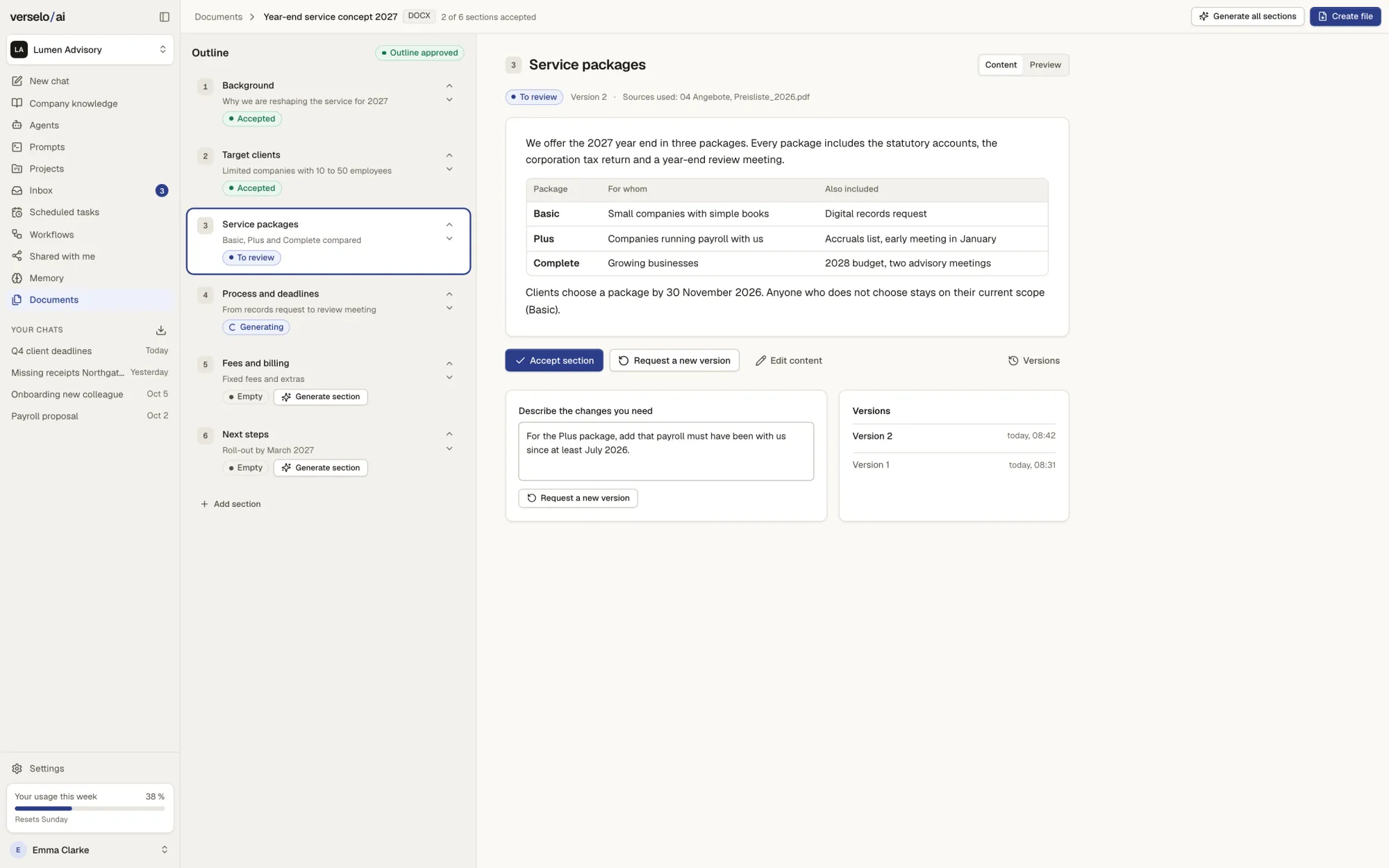
Long documents, chapter by chapter
For a 20-page proposal or a concept paper, Verselo first suggests an outline. You review and approve it. Then you generate the chapters one at a time or all at once, read each one and accept it or ask for a new version. You can add, move or remove sections. If one chapter fails, you fix only that one. Verselo then assembles the file.
- Outline first, then the text
- Generate chapters one by one or all together
- A failed chapter is fixed on its own
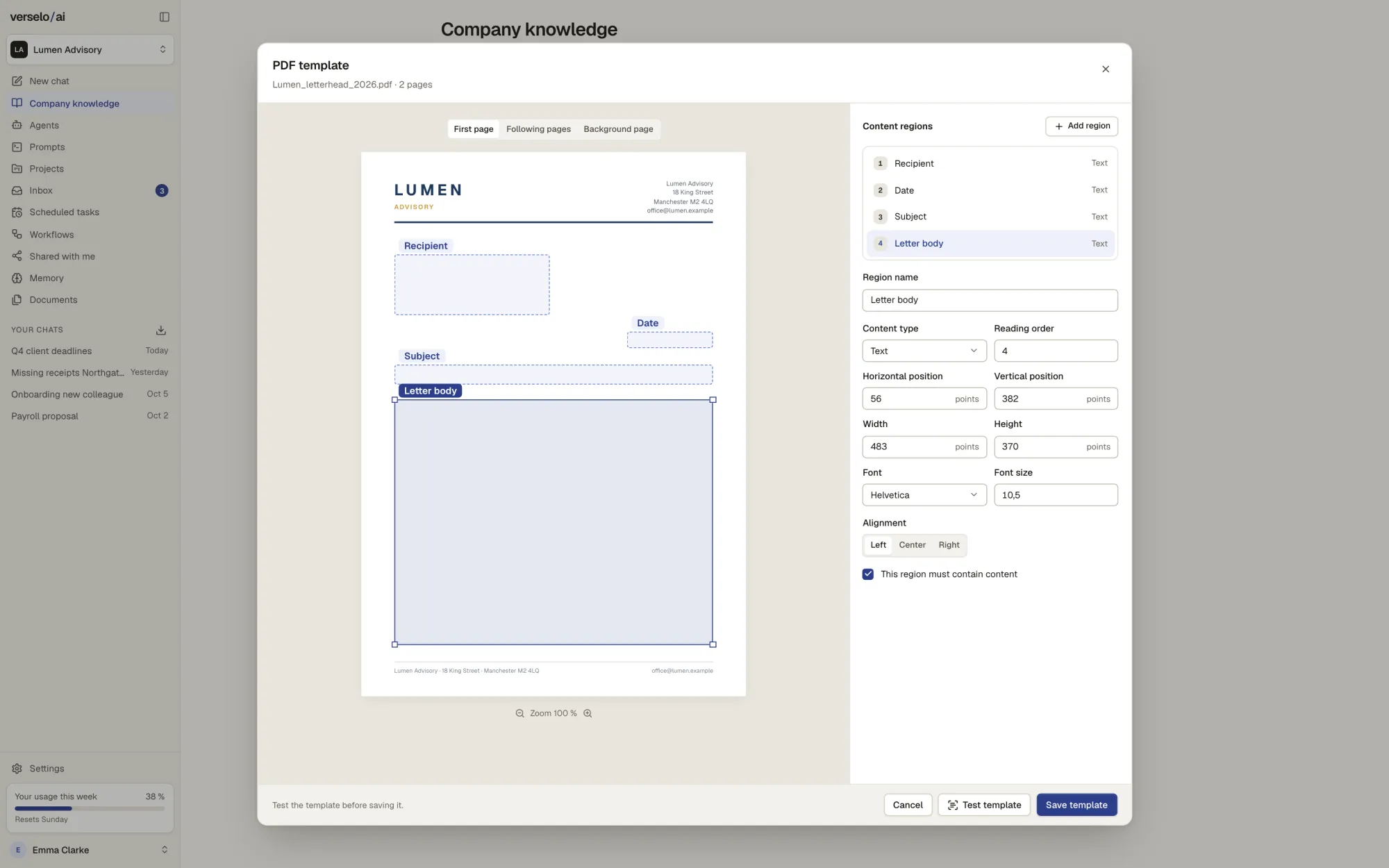
PDFs on your original letterhead
Upload your letterhead as a PDF. Verselo sets it as the background and you draw the text areas: recipient, date, subject, body. The first page and the following pages get their own areas. Letters and proposals then come out as PDFs on exactly that paper.
- Separate areas for the first and following pages
- Font, size and alignment per area
- Output as PDF
Images from a description
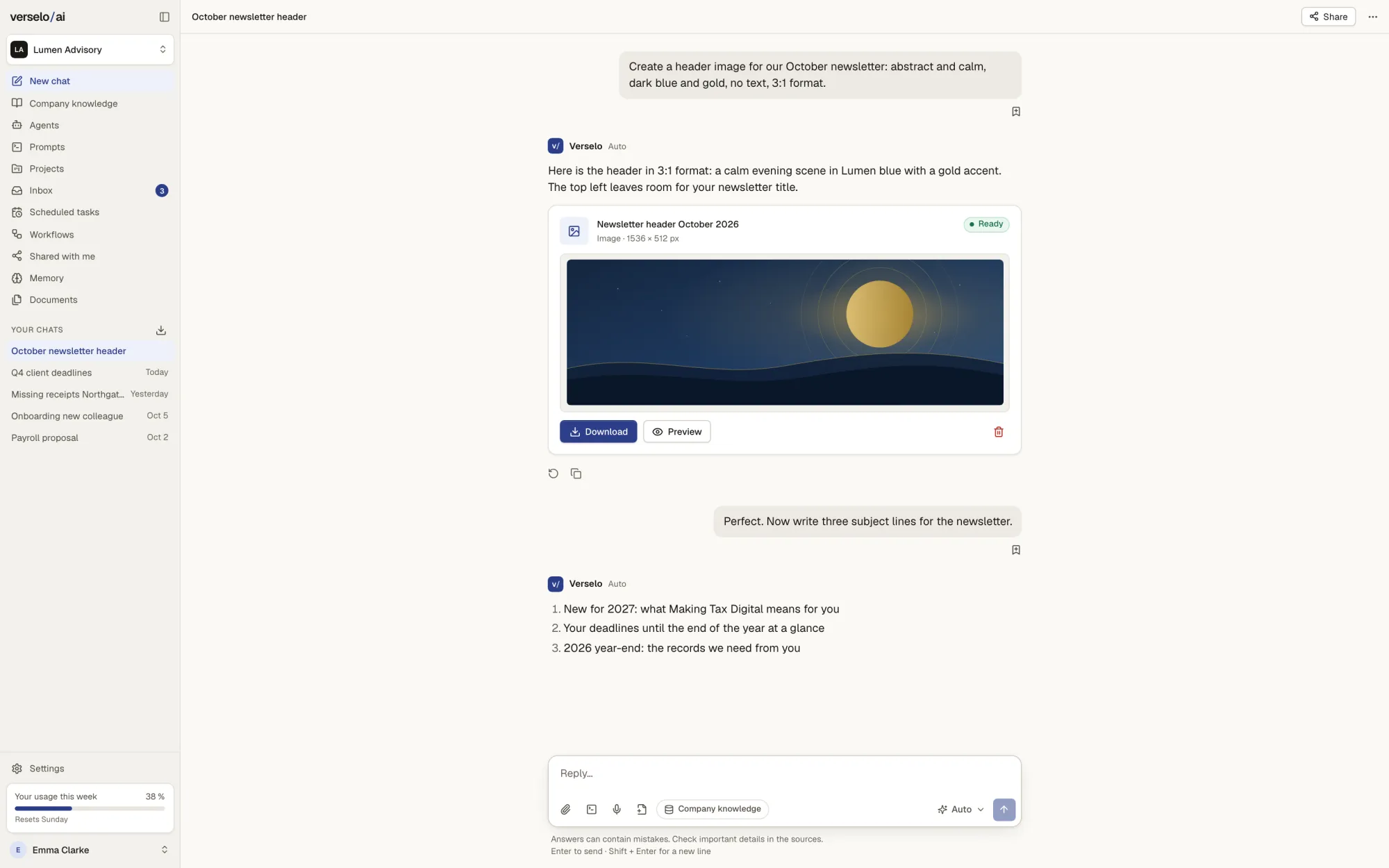
Describe the image you want, say a calm newsletter header in your colours with no text. Verselo creates it in the chat. You download it or place it in a document. Each image uses credits from the workspace balance.
- Format and style set by description
- Download or place in a document
- Uses credits
Frequently asked questions
Can Verselo create Word, PowerPoint and PDF files in our company design?
Yes. Verselo creates Word, PowerPoint, PDF and Excel files straight from the chat, using your own templates. Word and PowerPoint templates are uploaded as DOCX, DOTX, PPTX or POTX; for PDF you set up your letterhead. Your brand colour and logo are added on top. A proposal then comes out on your letterhead and in your layout. You still check content and figures before sending it.
How does Verselo create long documents like a 20-page proposal?
Verselo writes long documents section by section. First you review the outline and approve it. Then you generate the chapters one at a time or all together, read each one and accept it or ask for a new version. Sections can be added, moved and removed. If a chapter fails, you repair only that one. Only then does Verselo assemble the file.
Which templates can I upload to Verselo?
Verselo accepts Word templates (DOCX, DOTX), PowerPoint templates (PPTX, POTX) and your letterhead as a PDF, up to 50 MB per file. Verselo checks each template and shows a preview before you share it in the workspace. For the letterhead you define the text areas for the first page and the following pages. The output is a PDF, not an editable Word file.
Can Verselo generate images?
Yes. Verselo generates images in the chat from a description, such as a newsletter header or an illustration for a presentation. You download the image or place it straight into a document. Every generated image uses credits from your workspace balance. How credits work and which packs are available is explained on the pricing page.
See it on your own task.
Take your proposal template and a proposal your team writes every week. On the call we build the first draft with you, and you see whether the result looks like it came from your own office.