Integrations
Verselo works with the tools your team already uses.
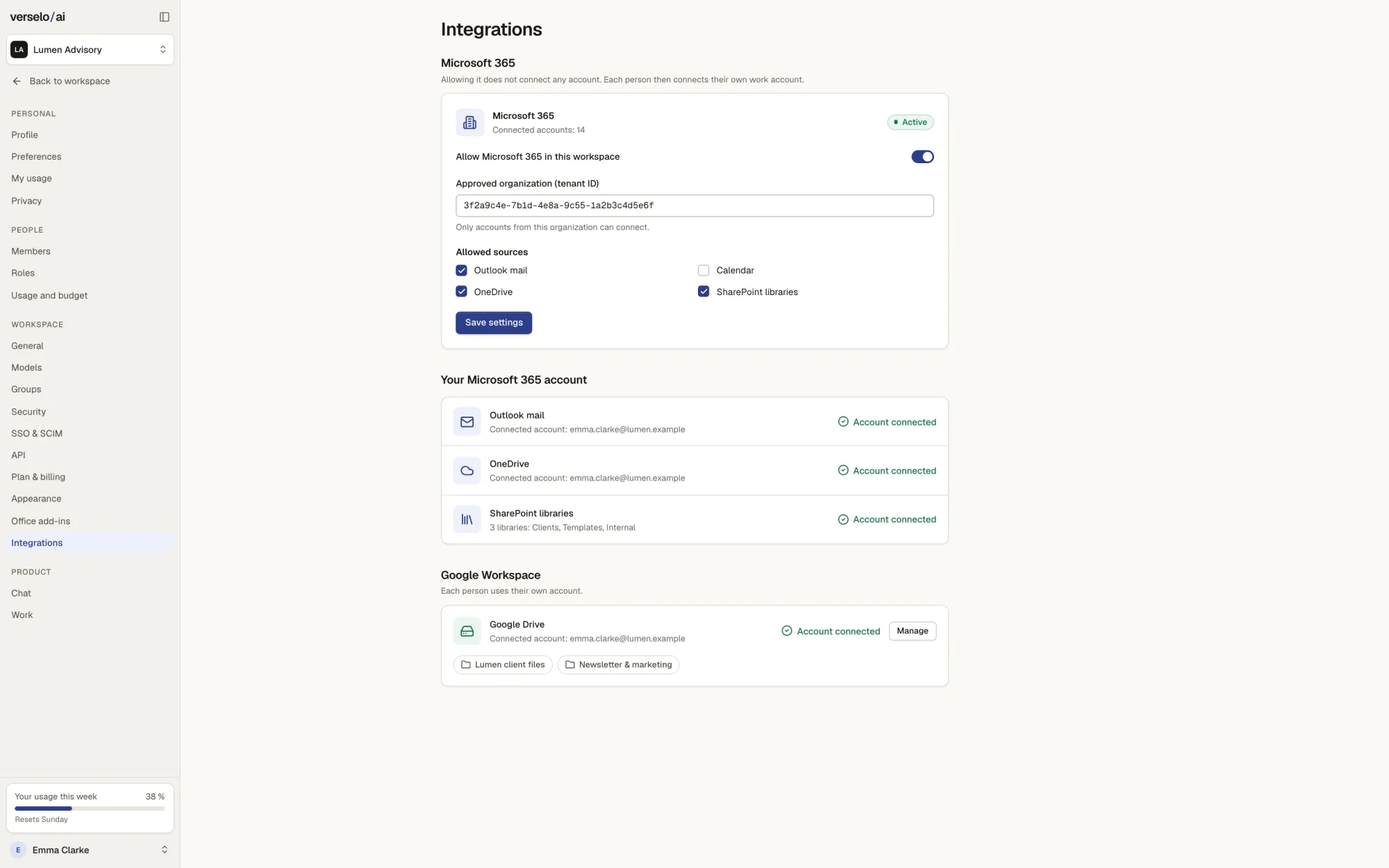
Microsoft 365 and Google Workspace connections are available from Team. On Basic, you upload company documents yourself. Mail, files, CRM and calendar stay where they are. Verselo reads them with the permissions of whoever is asking, and only writes what someone has confirmed first.
Microsoft 365 and Google Workspace as sources
From Team, an admin allows Microsoft 365 for your organization or Google Workspace for your company domain and picks which sources can be used. Then each person connects their own account. Verselo only reads, and sees exactly what that account can already see. It gets no extra permissions. In the chat, a line like “Find the proposal for Miller in Drive” is enough.
- Microsoft 365: Outlook mail, calendar, OneDrive, SharePoint
- Google Workspace: Drive folders and Gmail
- Read-only, with each person's own permissions
- Agents search there too, always with the permissions of the person using them
HubSpot, Pipedrive or Salesforce in the chat
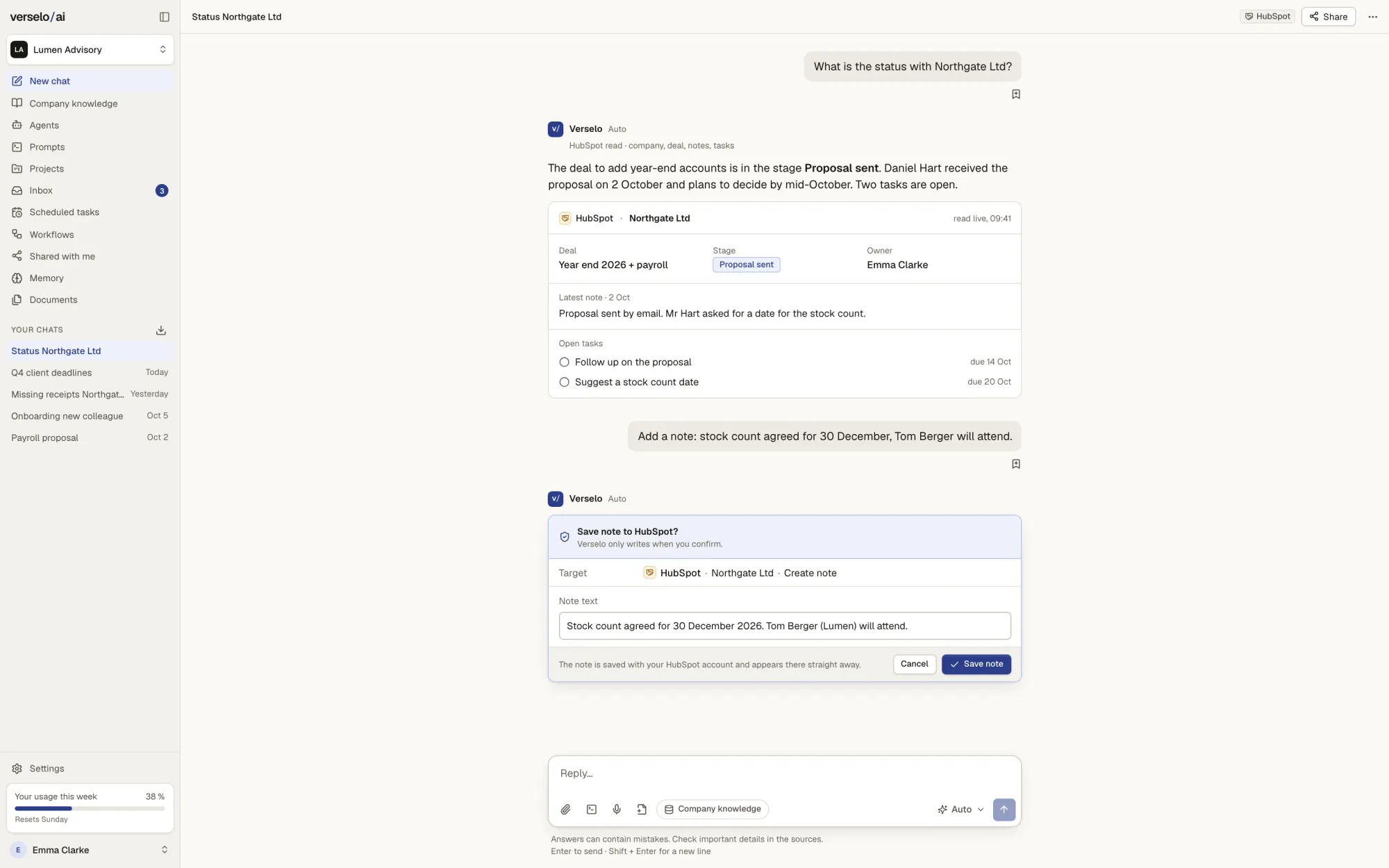
Verselo reads contacts, companies, deals, notes and open tasks live from your CRM. Ask “Where are we with Miller?” and the answer comes with the deal stage, the last note and the open tasks. Verselo can write exactly three things, each one only after you confirm.
- Read: contacts, companies, deals, notes, open tasks
- Write after confirmation: add a note, add a task, change a deal stage
- One CRM per workspace, no copy of the data in Verselo
- Verselo doesn't create or delete contacts
Verselo suggests times, you confirm
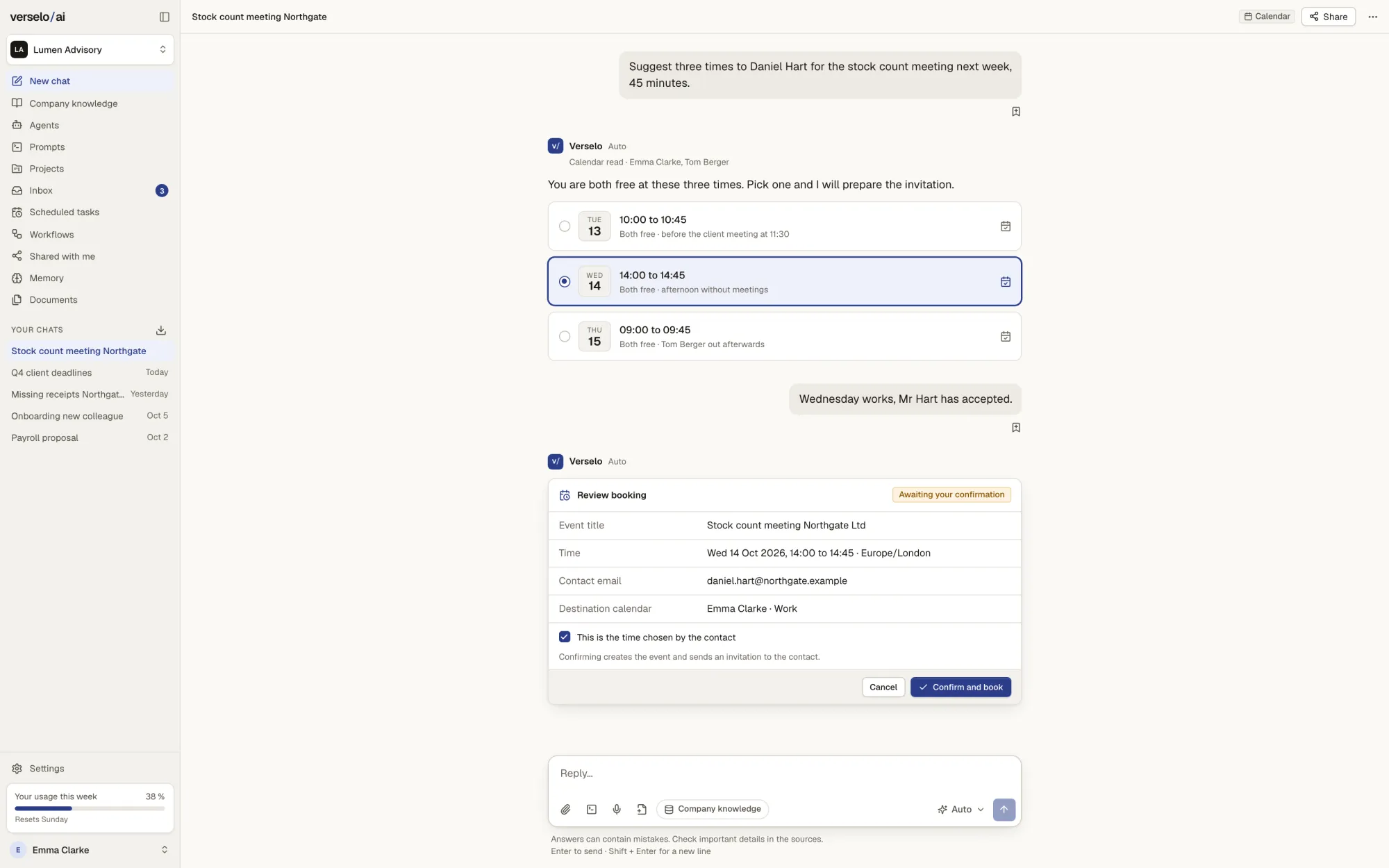
Verselo checks the calendar and suggests free slots. You pick one and review title, time, contact and target calendar before booking. The meeting is only created when you confirm, and only if you've given Verselo permission to write to your calendar yourself.
- Suggestions from free slots
- Booking only after your confirmation
- You grant write access yourself, separately from read access
An API for your own applications
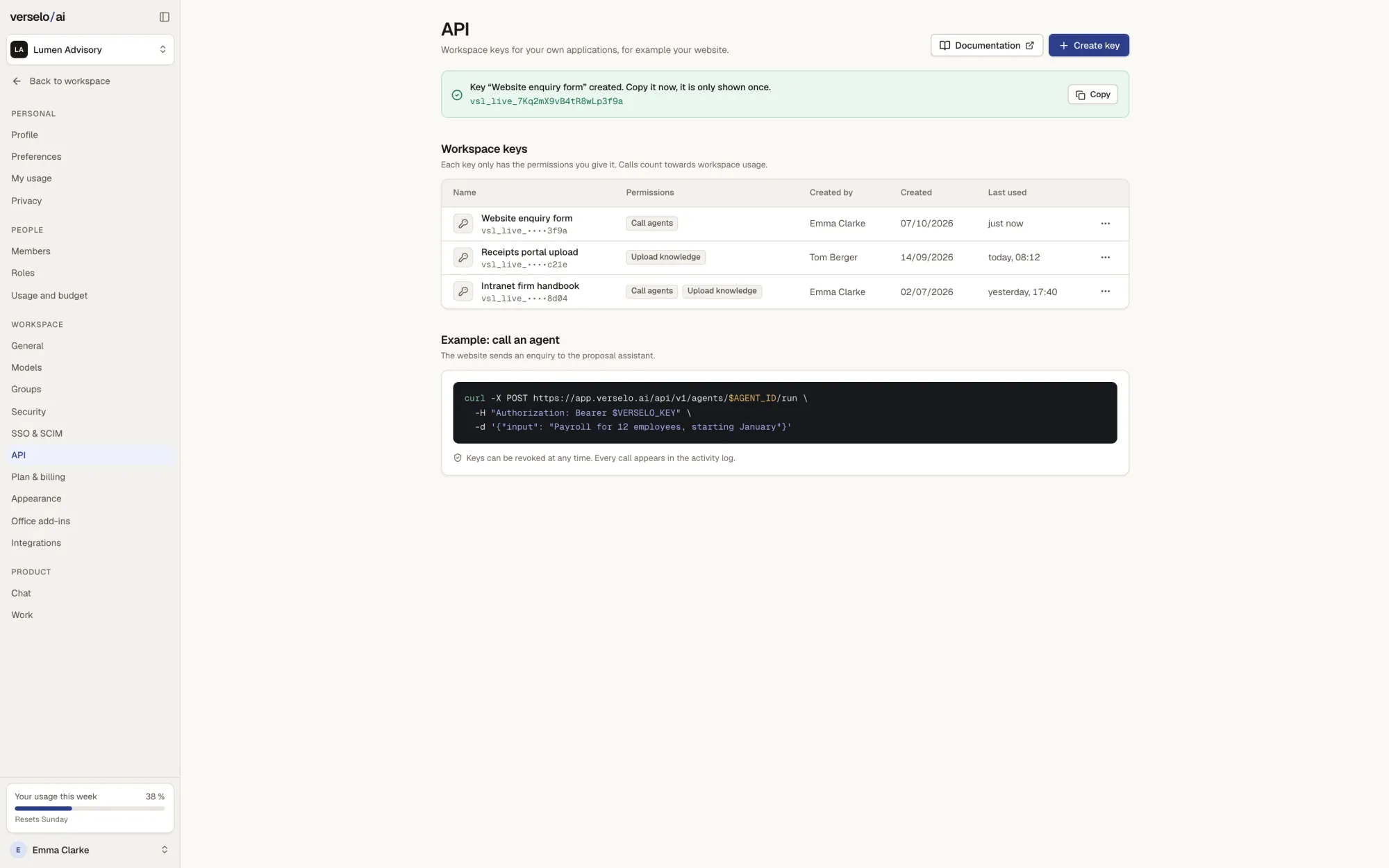
With a workspace key you connect Verselo to your own systems, such as the inquiry form on your website. Each key only has the permissions you give it: call agents, upload knowledge, or both. Calls count toward workspace usage, and the API comes with documentation.
- Keys with specific permissions
- Call agents and upload knowledge
- Revoke a key at any time, every call is logged
- Documentation linked from the app
MCP servers for agents
MCP servers give agents access to more tools. The admin decides which servers are allowed, and an agent only uses what has been approved.
- Approved by the admin
- Available to the agents in the workspace
- Input
- The company runs an internal ticket system with an MCP server.
- Action
- The admin approves the server for the workspace.
- Result
- The support agent looks up tickets there.
Frequently asked questions
Does Verselo connect to Microsoft 365 and Google Workspace?
Yes, from Team. Verselo connects Outlook mail, calendar, OneDrive and SharePoint from Microsoft 365, and Drive folders and Gmail from Google Workspace. An admin allows the service and its sources, then each person connects their own account. Verselo only reads and sees exactly what that account is allowed to see. It gets no extra permissions, and answers name their source.
Which CRMs does Verselo work with?
Verselo works with HubSpot, Pipedrive and Salesforce, one of them per workspace. It reads contacts, companies, deals, notes and open tasks live, without keeping a copy. Verselo can write three things: add a note, add a task and change a deal stage. Each one runs only after you confirm it. Creating or deleting contacts is not part of it.
Can Verselo book meetings in my calendar?
Yes, with your confirmation. Verselo suggests free slots, you pick one and review title, time, contact and target calendar. The meeting is booked when you confirm. For that, Verselo also needs your own permission to write to your calendar. Without it, Verselo only reads the calendar and makes suggestions.
Does Verselo have an API?
Yes. Verselo has an API with workspace keys. Each key gets only the permissions you give it, for example calling agents or uploading knowledge. That way the inquiry form on your website can start an agent. Calls count toward workspace usage, every call is logged and you can revoke a key at any time. The API comes with documentation.
See it on your own case.
On the call we show you how Verselo works with your Microsoft 365, Google Workspace or CRM. The connections are available from the Team plan.