Workflows & scheduled tasks
Set up recurring work once, with approval where it matters.
A scheduled task runs a prompt or an agent at fixed times. A workflow chains several steps and stops wherever a person should decide. All results land in the inbox.
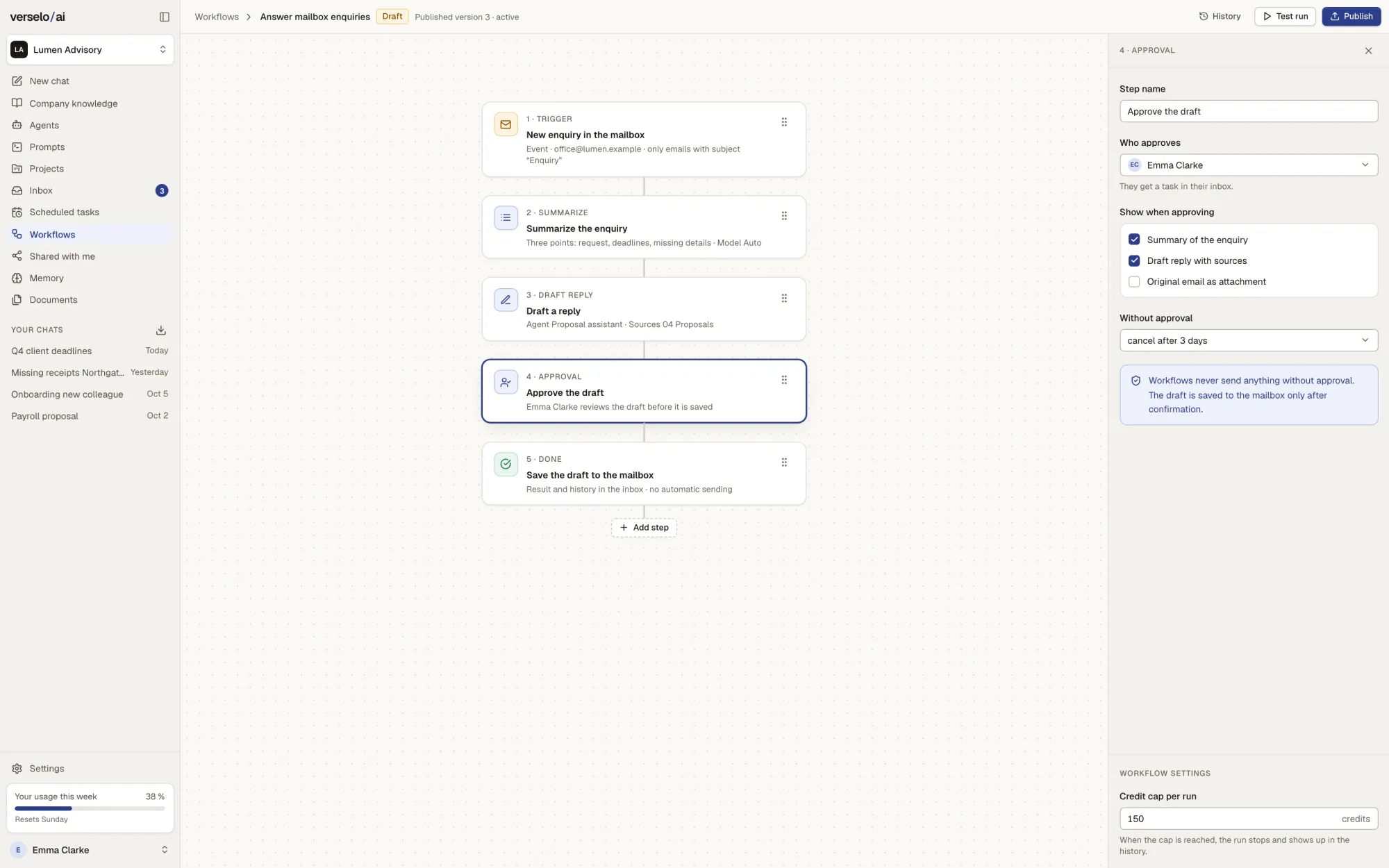
The workflow builder: step by step, with approval
Summarise a new request, draft a reply with an agent, review and file it: connect the steps in a workflow.
- Work on a draft; only the published version runs.
- Install and adapt a template, such as the proposal follow-up email.
- Starts on a schedule, by hand or from an event
- Approval step: a named person checks before it moves on
- Credit cap per workflow
- Templates in English, German and Spanish
- No loops, no free HTTP steps, no webhooks
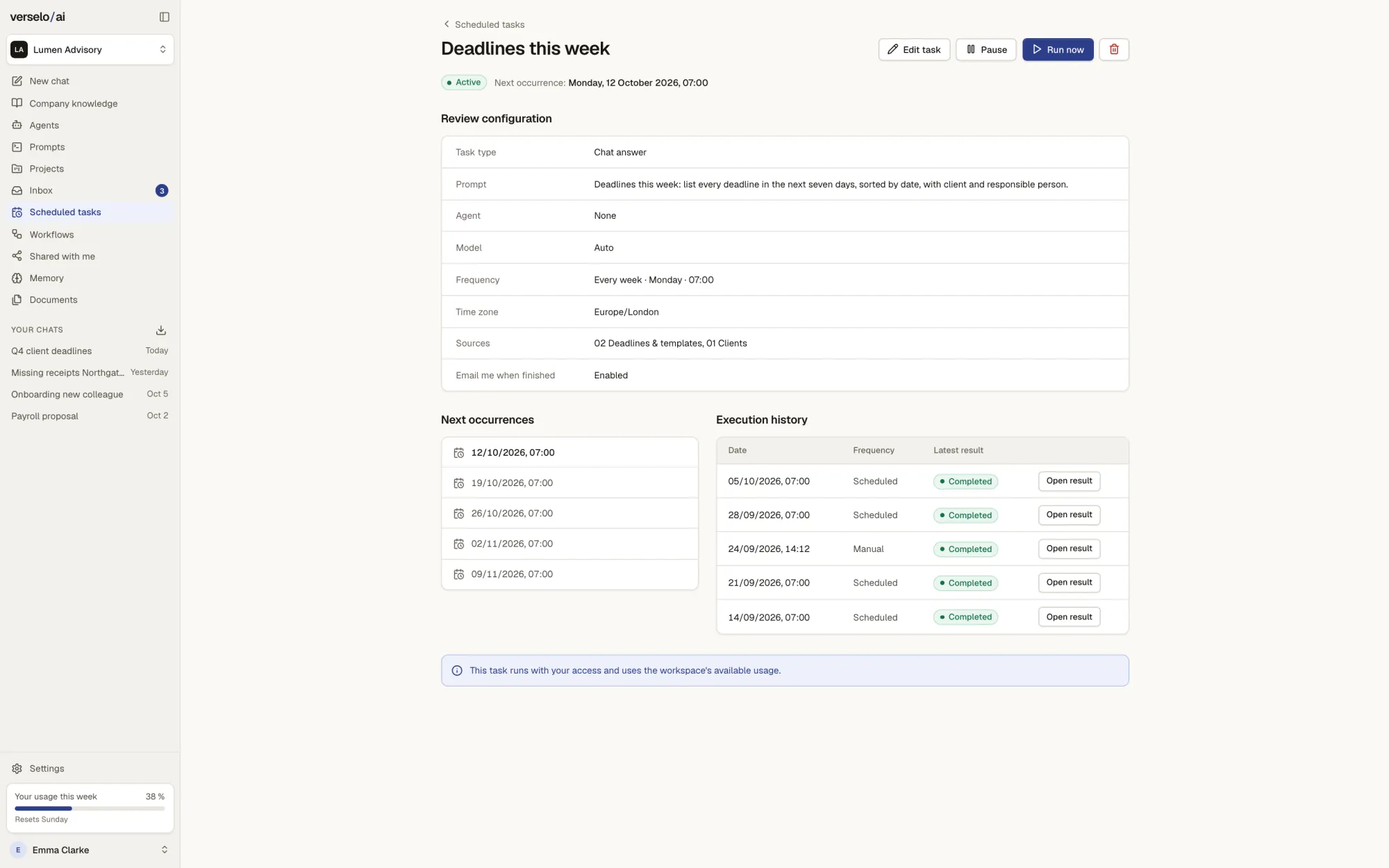
Scheduled tasks: one prompt, a fixed time
Pick a prompt or an agent, the sources and how often: once, daily or weekly. Before you save, you see the next runs. You can pause a task or run it right now. Scheduled tasks only read and generate; they write nothing into other tools.
- Once, daily or weekly
- Pause or run now
- Runs with your access and uses allowance first, then purchased credits
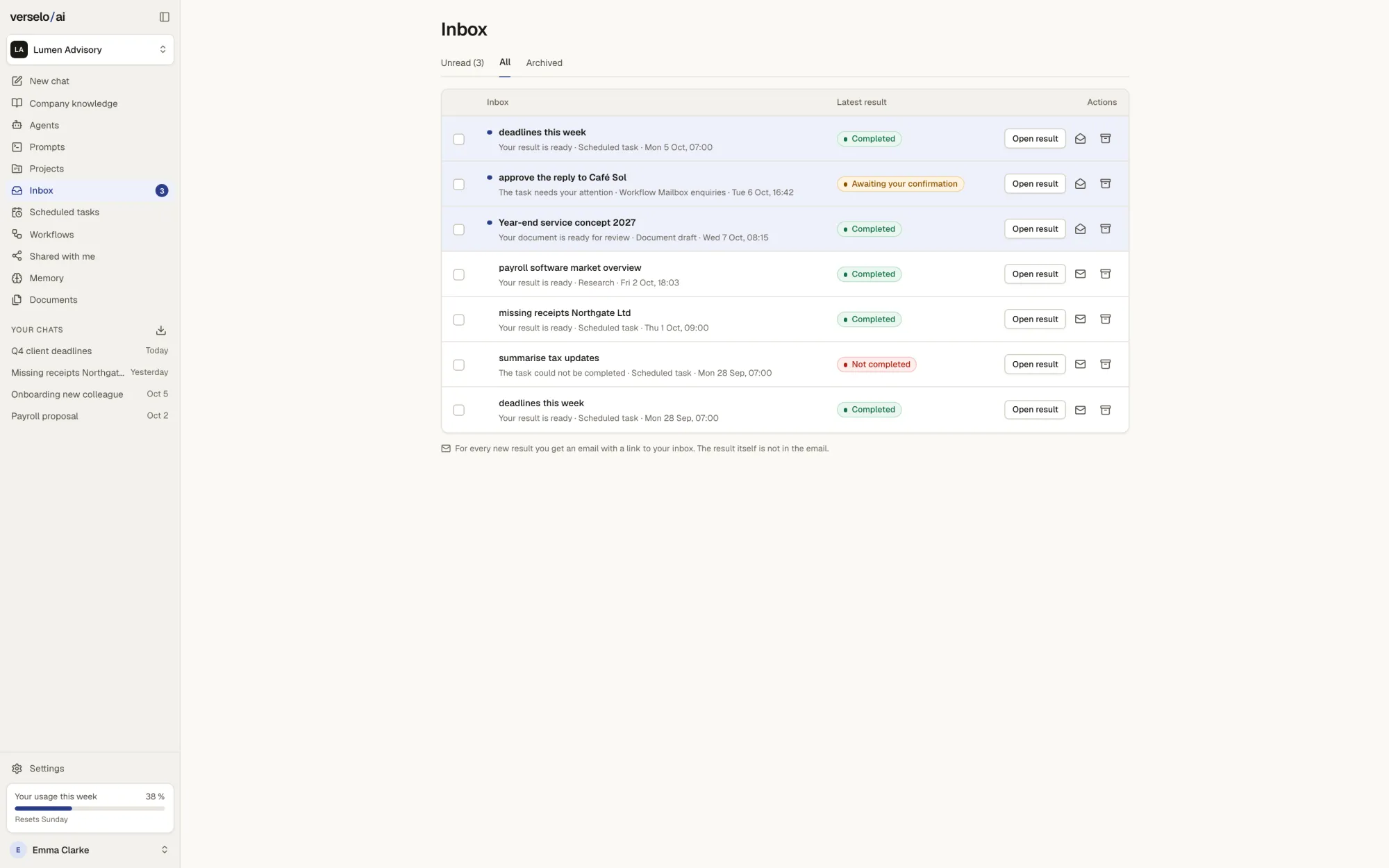
The inbox collects results and errors
Every result lands in the inbox: finished overviews, documents to review, approvals waiting for you and runs that did not complete. Each new entry triggers an email with a link. From a workflow's history you retry a run or cancel it. When the allowance and purchased credits run out, scheduled tasks pause automatically.
- Results, approvals and errors in one place
- Email notice with a link; the result stays in Verselo
- Retry or cancel from the history
Frequently asked questions
How do I automate recurring tasks with Verselo?
In Verselo you set up a scheduled task or a workflow. A scheduled task runs a prompt or an agent once, daily or weekly, for example a summary of new tenders every Monday at 8:00. A workflow chains several steps. The result lands in the inbox and you get an email with a link. Every run uses allowance first, then purchased credits.
What is the difference between a scheduled task and a workflow?
A scheduled task in Verselo is a prompt or an agent that runs on a schedule: once, daily or weekly. It only reads and generates. A workflow has several steps, starts on a schedule, by hand or from an event such as a new request, and can wait at an approval step for a person. Neither supports loops, free HTTP steps or webhooks.
Does a workflow act without my approval?
Only as far as you allow. A Verselo workflow stops at every approval step until the named person has checked and confirmed the draft. No email goes out without approval. Scheduled tasks write nothing into other tools. On top of that you set a credit cap per workflow: once it is reached, the run stops and shows up in the history.
What happens if a task fails or credits run out?
If a run fails, Verselo shows it in the inbox as not completed and sends you an email with a link. From the history you retry it or cancel it. If the workspace allowance and purchased credits are used up, scheduled tasks pause automatically. Once you top up with a credit pack, you resume them. Nothing is ever billed after the fact.
See it on your own task.
Write down a process that runs the same way every week in your company and mark the point where someone checks it. On the call we rebuild it with you in Verselo.