Company knowledge
Answers from your own documents, with the source.
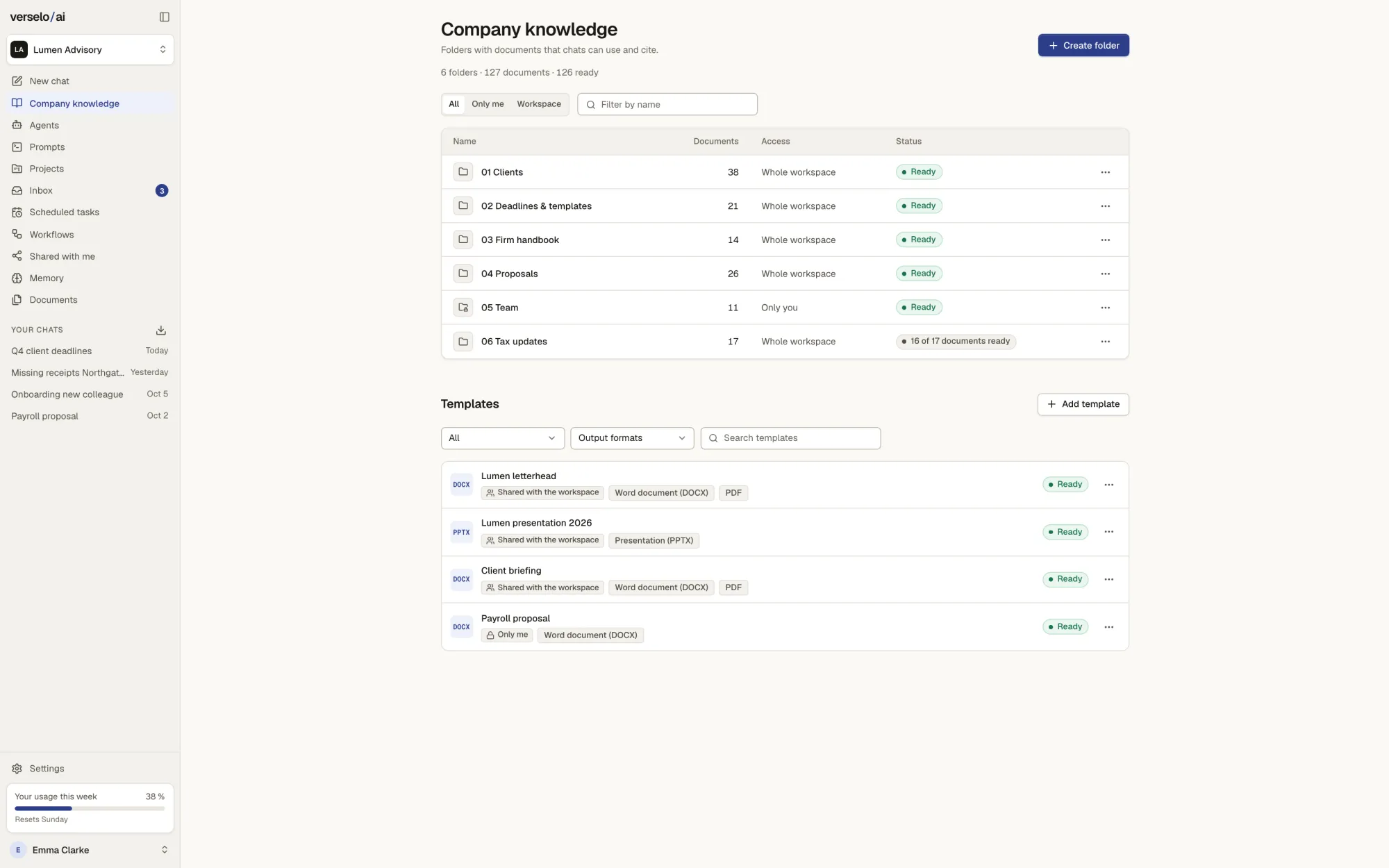
Upload handbooks, contracts and proposals. Verselo answers from them and names the document and passage, which you open with one click. Whether the answer holds up, you check in the original.
Keep documents in private or shared folders.
Each knowledge folder belongs to you alone, to selected groups or to the whole workspace. That way sales sees the price list and accounts sees its own files. Scanned PDFs go through text recognition. The status on each file tells you whether it's ready to answer from yet.
- PDF, DOCX, TXT, MD, XLSX, PPTX and CSV
- Up to 50 MB per file and 20 files per upload
- Scanned PDFs read by text recognition
- SharePoint, OneDrive and Google Drive as extra sources, read-only
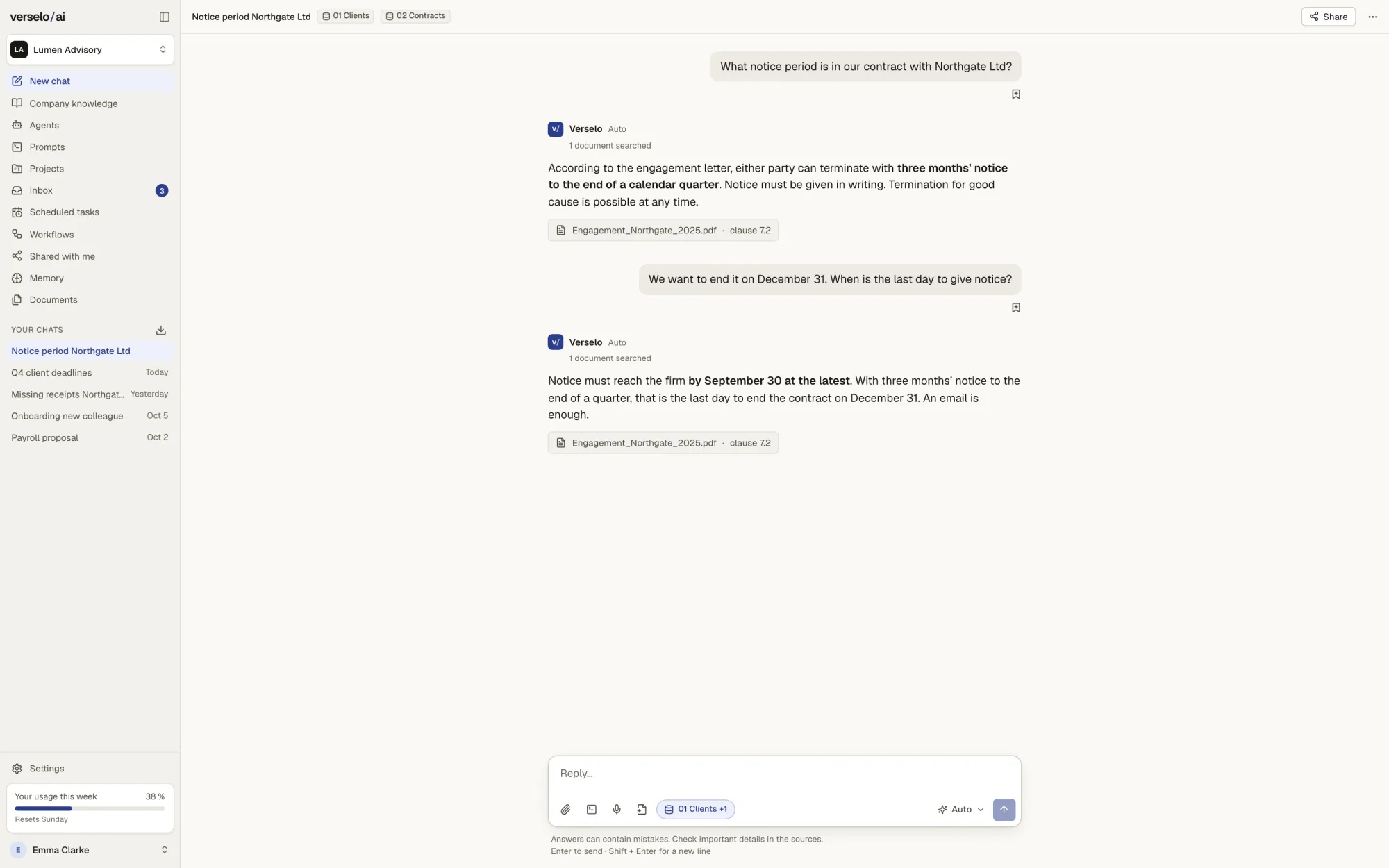
Ask the way you'd ask a colleague.
You ask, say: "What notice period is in our contract with Northgate Ltd?" Verselo searches the folders you attach to the chat and have access to. The answer: three months' notice to the end of a calendar quarter. Underneath sits the source, the engagement letter, clause 7.2.
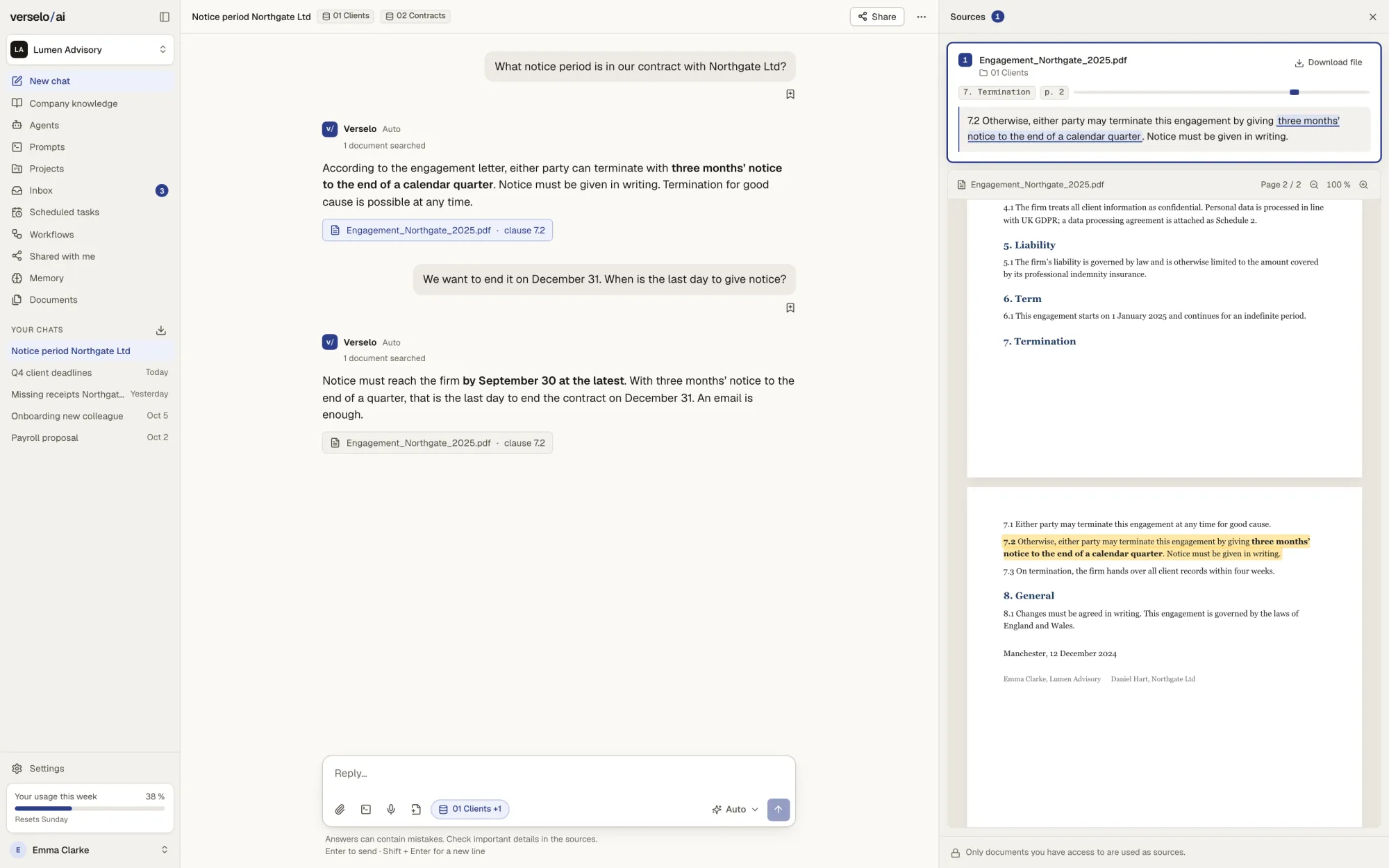
Open the passage and read it yourself.
One click on the source opens the document at the right page, with the quoted passage highlighted. You read the original sentence and make the call. If something isn't in any document, Verselo can't back it up. Then you add the missing document or narrow the question.
Frequently asked questions
How does Verselo answer questions about our documents?
Verselo searches the knowledge folders you attach to the chat and have access to, and answers from what they contain. With every answer Verselo names the document and passage, and one click opens the highlighted section in the original. What isn't in any document, or can't be read, Verselo can't back up. Checking the substance of the result stays with you.
Which file formats does Verselo read?
Verselo reads PDF, DOCX, TXT, MD, XLSX, PPTX and CSV. Scanned PDFs go through text recognition, so paper files you've scanned become searchable too. Each file can be up to 50 MB, and each upload takes up to 20 files. A blurry scan gives unreliable results, so check the status and the cited passage closely for files like that.
Can everyone on the team see every document?
No. In Verselo each knowledge folder belongs to one person, to selected groups or to the whole workspace. The sales group might see the price list while accounts doesn't. Answers only draw on folders the person asking has access to. Which groups exist and who manages each folder is decided by your admins.
Can Verselo search SharePoint or Google Drive?
Yes. Through its integrations, Verselo uses SharePoint, OneDrive and Google Drive as extra sources. Your admin enables the sources and each person connects their own account. Access is read-only and runs with the permissions that person already has there. Verselo gets no extra rights and finds nothing that person couldn't open themselves.
See it on your own case.
Pick a question about one of your documents, such as a notice period or a price from your price list. On the call we check with you whether the source is right.